
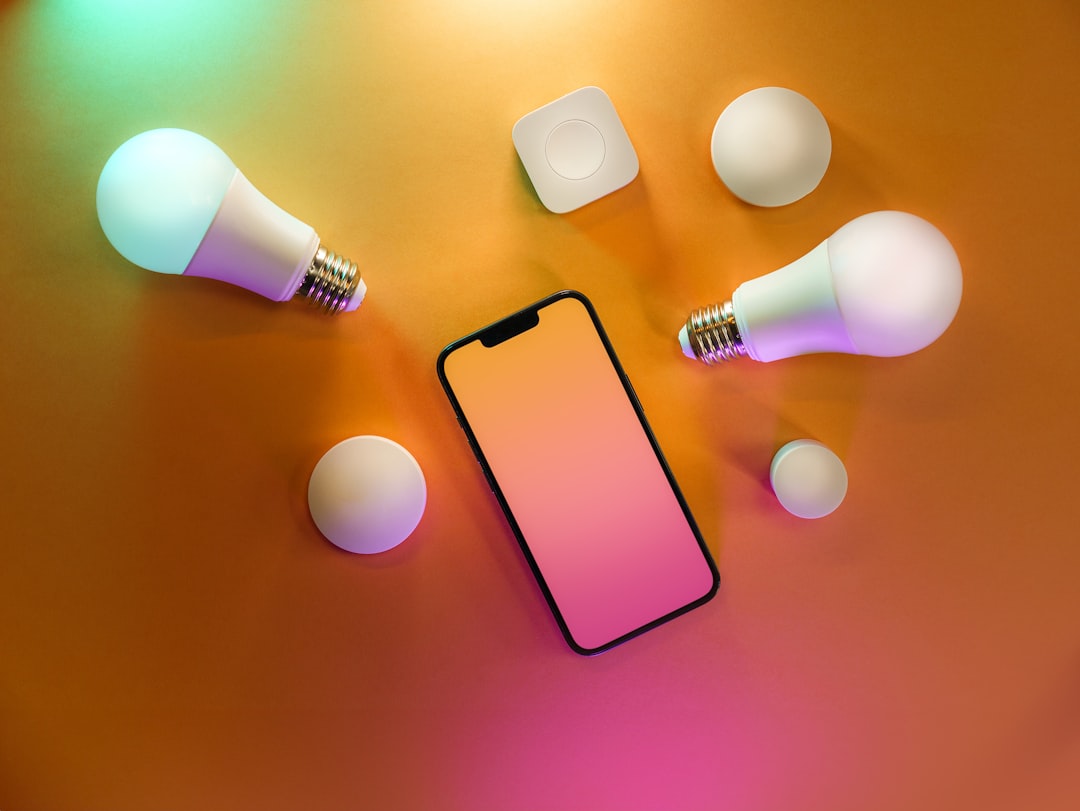
How to Install Smart Home Devices Step by Step
The modern residential landscape has undergone a profound transformation, shifting from traditional mechanical setups to interconnected digital ecosystems. Understanding how to install smart home devices step by step is no longer just a hobbyist pursuit; it is a fundamental aspect of modern property management, energy conservation, and household security. Residential automation relies on the seamless communication of hardware components via wireless protocols such as Wi-Fi, Zigbee, Z-Wave, and Thread. Modern property owners frequently encounter a bewildering array of gadgets, ranging from intelligent lighting fixtures to voice-activated assistants and automated climate control systems. Navigating this technological upgrade requires a structured approach, careful planning, and a clear understanding of network infrastructure to ensure devices function reliably without compromising cybersecurity.
Preparing Your Network Infrastructure Before Installation
A stable, high-speed internet connection serves as the central nervous system for any automated residence. Before purchasing or mounting any hardware, evaluating the existing router capacity and broadband bandwidth is essential for long-term operational success. Most residential routers support dual-band frequencies, typically operating on 2.4 GHz and 5 GHz channels. Smart plugs, security cameras, and automated door locks predominantly utilize the 2.4 GHz band because it offers superior range and better signal penetration through walls, despite having lower data transfer speeds compared to its 5 GHz counterpart.
Network congestion represents a primary point of failure in modern automation projects. When dozens of appliances attempt to connect to a standard Internet Service Provider gateway simultaneously, bandwidth throttling occurs, leading to delayed command execution and offline device errors. Installing a dedicated mesh Wi-Fi system mitigates these bottlenecks by creating multiple access points throughout the building, ensuring uniform signal distribution from the basement to the attic. Furthermore, configuring a separate guest network specifically for Internet of Things gadgets isolates primary computing assets, laptops, and financial records from potential security vulnerabilities originating from low-security peripheral devices.
Related Posts
- Air Conditioner Filter Cleaning Schedule for Better Efficiency
- The Ultimate Step by Step Repair Guide for Common Appliance Problems
- The Ultimate Guide on How to Extend the Lifespan of Household Devices
- The Complete Guide to Securing and Utilizing Free Refrigerator User Guide PDF Downloads
- Hardware Specifications Explained for Beginners: A Clear Guide to PC Parts
Choosing the Right Ecosystem and Hub Architecture
Centralized control requires selecting a unified ecosystem that allows disparate hardware components to communicate effortlessly. The major industry contenders—Amazon Alexa, Google Home, and Apple HomeKit—each offer distinct advantages regarding user interfaces, privacy protocols, and device compatibility. Apple HomeKit prioritizes local data processing and stringent end-to-end encryption, appealing directly to security-conscious property managers. Conversely, Amazon Alexa and Google Home boast massive third-party manufacturer integration, providing near-universal compatibility with affordable sensors, smart bulbs, and kitchen appliances.
Beyond software ecosystems, physical hub architecture plays a pivotal role in device management. While many modern gadgets connect directly to household routers via Wi-Fi, battery-operated sensors often rely on low-power mesh protocols like Zigbee or Z-Wave to preserve battery life. These protocols require a dedicated hardware coordinator, such as a smart speaker with built-in radio transmitters or a standalone gateway plugged directly into an Ethernet port. Establishing a strong primary hub prevents network clutter and ensures instant response times when executing automated routines across multiple rooms.
Step-by-Step Installation of Smart Lighting and Switches
Upgrading traditional illumination fixtures represents the most popular entry point for residential automation projects. Smart lighting solutions generally fall into two categories: replacement smart bulbs and hardwired smart wall switches. Installing smart bulbs requires no electrical expertise; users simply screw the bulb into an existing fixture, switch the power on, and follow the manufacturer pairing instructions via a mobile application. However, smart bulbs present a distinct usability challenge: if someone turns off the physical wall switch, the bulb loses power entirely and becomes unreachable via digital commands.
Hardwired smart switches permanently resolve this issue by maintaining constant electrical current to the fixture while allowing digital toggling through touch panels or voice prompts. Installing a smart switch requires cutting the main power supply at the circuit breaker, removing the traditional faceplate, and carefully labeling existing electrical wires—line, load, neutral, and ground.
Older properties frequently lack a dedicated neutral wire inside the switch box, a necessary component for powering the internal radios of smart switches. In such scenarios, technicians must either install neutral-free switch variants with load adapters or engage licensed electricians to pull new wiring through the conduits, ensuring full compliance with local electrical safety codes and regulations.
Deploying Automated Climate Control and Thermostats
Optimizing energy consumption through intelligent climate control delivers substantial long-term utility savings and enhanced indoor comfort. Modern smart thermostats utilize internal occupancy sensors, local weather forecasts, and geofencing technology to adjust heating and cooling schedules dynamically based on human presence. The physical installation process begins by documenting the existing low-voltage wiring configuration behind the old thermostat faceplate. Each wire terminal—labeled R, W, Y, G, and C—corresponds to specific HVAC functions like heating relays, compressor control, and fan activation.
Connecting a C-wire, or common wire, is critical for supplying continuous 24-volt power to the smart thermostat display and internal Wi-Fi components. Properties lacking a pre-installed C-wire can utilize external power adapter kits included with most modern thermostat packages or safely repurpose an unused wire strand within the thermostat cable bundle.
Once the hardware is securely mounted to the drywall and all terminals are tightened, the device initiates a self-calibration sequence, detecting system voltages and configuring compressor protection delays to prevent mechanical damage to residential heat pumps and air conditioning units.
Securing Entry Points with Smart Locks and Video Doorbells
Perimeter security infrastructure serves as the primary defense mechanism for residential properties, making the installation of smart locks and video doorbells a high-priority task. Smart deadbolts replace standard mechanical cylinders with motorized gear assemblies operated via numeric keypads, biometric fingerprint scanners, smartphone proximity sensors, or physical backup keys. Removing an existing deadbolt requires unfastening the interior thumb turn and exterior cylinder, then sliding the new mechanical deadbolt latch into the door edge bore hole.
Alignment accuracy is paramount during smart lock installation; even minor friction between the bolt and the strike plate can stall the internal motor, resulting in failed locking cycles and rapid battery depletion. Installers must manually test the door swing and file down the strike plate opening if necessary to ensure smooth, unhindered mechanical movement.
Video doorbells follow a similar mounting procedure, often replacing existing hardwired doorbell buttons. Because traditional doorbell transformers supply low-voltage alternating current typically ranging from 16 to 24 volts, verifying transformer output voltage with a multimeter prevents hardware burnout before snapping the new video unit onto its mounting bracket.
Comparison of Smart Home Installation Methods
| Integration Type | Complexity Level | Primary Protocol | Power Source | Professional Assistance Required |
|---|---|---|---|---|
| Smart Bulbs | Low | Wi-Fi / Bluetooth | Direct Fixture Power | No |
| Smart Switches | Moderate | Wi-Fi / Zigbee | Hardwired AC | Recommended (Electrical) |
| Smart Thermostats | Moderate | Wi-Fi / Thread | HVAC 24V / C-Wire | Optional |
| Smart Locks | Moderate-High | Z-Wave / Thread | Battery Operated | No |
| Security Cameras | Low-Moderate | Wi-Fi / Power over Ethernet | Battery / Wired DC | Optional |
Comprehensive Troubleshooting and Network Optimization
Even meticulous installations can experience intermittent connectivity issues, device dropouts, or delayed automation triggers due to environmental interference and firmware discrepancies. Physical barriers such as reinforced concrete walls, large metal appliances, and double-paned Low-E glass windows severely attenuate 2.4 GHz radio frequencies. Relocating mesh nodes closer to peripheral hardware or switching crowded Wi-Fi channels on the primary wireless router instantly restores signal integrity and lowers packet loss rates.
Firmware maintenance represents another critical operational responsibility. Manufacturers frequently issue security patches and performance updates that address known bugs and protocol vulnerabilities. Establishing a routine schedule for checking companion mobile applications ensures all connected endpoints run the latest software iterations, protecting the local network from unauthorized access and maintaining full compatibility with third-party automation routines and voice services.
Frequently Asked Questions
Do I need an internet connection to use smart home devices?
While basic functionality may persist locally for devices connected via proprietary hubs using Zigbee or Z-Wave protocols, an active internet connection is strictly required for remote access, voice assistant integration, firmware updates, and cloud-based automation routines.
Can I install smart switches without a neutral wire?
Yes, certain manufacturers produce neutral-free smart switches specifically designed for older residential wiring. However, these models often require the installation of an auxiliary load adapter at the light fixture to prevent phantom flickering and ensure stable circuit operation.
Are smart locks secure against digital hacking attempts?
Modern smart locks employ robust encryption standards—such as AES 128-bit or higher—comparable to online banking security protocols. Physical installation quality, secure home Wi-Fi passwords, and two-factor authentication on mobile control applications collectively minimize unauthorized digital and physical intrusion risks.
What happens to my smart devices during a power outage?
Standard plug-in and hardwired devices lose functionality immediately when electrical power fails. Battery-operated components like sensors and smart locks continue functioning locally, though remote monitoring and cloud-dependent automations remain offline until power and internet services are fully restored.
Conclusion
Mastering how to install smart home devices step by step transforms an ordinary residential space into an efficient, highly responsive environment optimized for modern living. A methodical approach—beginning with robust network preparation, progressing through careful ecosystem selection, and executing precise physical hardware installations for lighting, climate control, and security—ensures long-term operational stability. By adhering to proper electrical standards, maintaining updated firmware, and strategically deploying wireless access points, property owners create secure, scalable automation systems that enhance everyday convenience and energy management without unnecessary complications.
Featured Image Credit: Generated/Sourced via Unsplash.
Disclaimer: This article is AI-generated for informational and educational purposes. While we strive to provide high-quality context and authority, the content should not be used as professional advice. The author/website assumes no liability for external links or factual omissions.