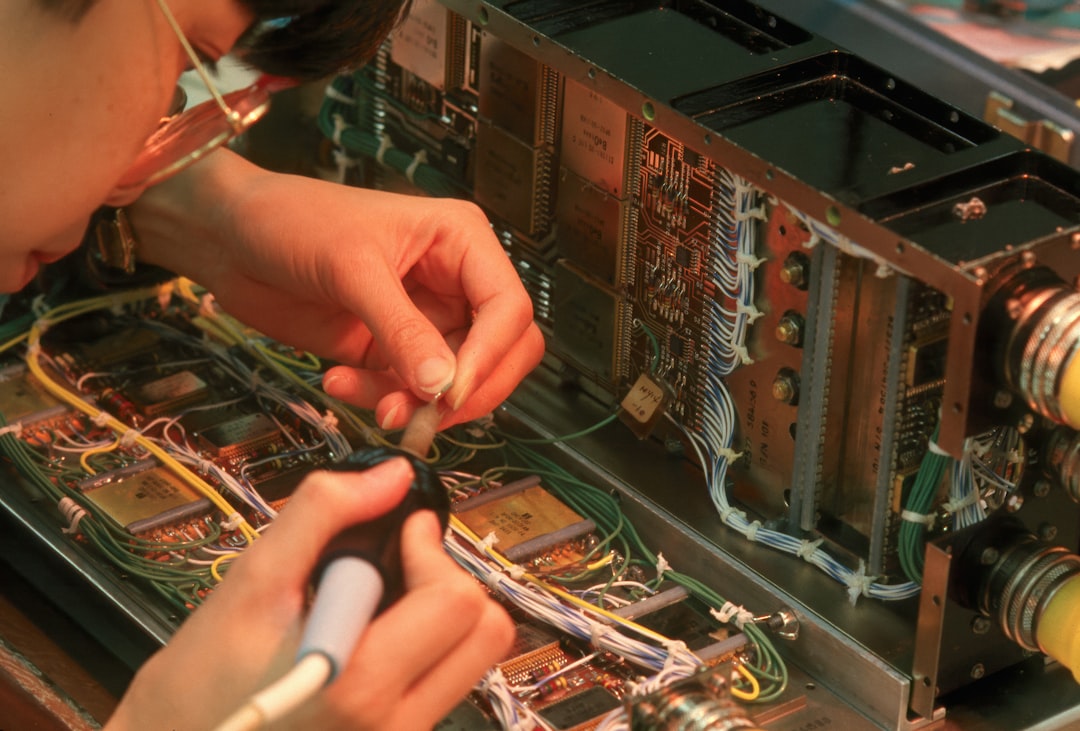
Ultimate Monthly Maintenance Checklist for Electronic Equipment
Electronic hardware forms the operational backbone of modern commercial enterprises and residential households alike. From sensitive laboratory instrumentation and high-throughput server racks to everyday desktop computers and home entertainment centers, complex machinery requires consistent attention to operate at maximum efficiency. Without a structured preservation routine, dust accumulation, thermal degradation, and software obsolescence quietly degrade internal components, leading to catastrophic equipment failure and expensive replacement costs. Implementing a rigorous monthly maintenance checklist for electronic equipment bridges the gap between unpredictable breakdowns and long-term hardware reliability.
Understanding Thermal Dynamics and Dust Mitigation
Dust acts as a thermal blanket, trapping heat inside electronic enclosures and forcing cooling fans to work harder than engineered specifications allow. According to thermal management studies published by the American Society of Heating, Refrigerating and Air-Conditioning Engineers, a mere millimeter of dust on a heatsink can elevate operating temperatures by up to ten degrees Celsius. Elevated thermal stress accelerates semiconductor degradation, solder joint cracking, and capacitor leakage.
The first step in any comprehensive maintenance routine involves inspecting ventilation ports, intake filters, and exhaust fans across all active hardware. Technicians should utilize specialized anti-static vacuums rather than standard household cleaning devices, which generate high levels of electrostatic discharge capable of frying delicate microchips. Compressed air can dislodge particulate matter from tight spaces, provided the user keeps the canister upright to prevent liquid propellant from spraying onto sensitive circuits. Air filters on server cabinets and heavy-duty workstations require removal, washing, or replacement on a strict thirty-day cycle to maintain optimal airflow dynamics.
Related Posts
- How Often Should Refrigerator Condenser Coils Be Cleaned? A Practical Maintenance Guide
- How to Fix an Air Conditioner That Is Blowing Warm Air
- Inside the Modern Kitchen: A Comprehensive Engineering and Feature Guide to Smart Ovens
- The Ultimate Beginner Friendly Troubleshooting and Repair Guide for Household Electronics
- How to Fix a Dishwasher That Leaves Dishes Dirty After a Cycle
Power Quality Inspection and Surge Protection Management
Electrical anomalies represent a silent hazard to sensitive digital circuits. Micro-surges, voltage sags, and ground loops degrade power supply units over time without exhibiting immediate warning signs. Industry benchmarks maintained by the Institute of Electrical and Electronics Engineers indicate that power quality issues account for a significant percentage of premature hardware failures in modern facilities.
The monthly review must encompass a physical check of all power distribution units, uninterruptible power supplies, and surge suppression strips. Technicians need to verify that indicator lights on surge protectors confirm active protection status, as internal metal oxide varistors degrade after absorbing multiple smaller transient voltage spikes. Furthermore, checking battery health metrics on backup power systems ensures that chemical degradation has not compromised emergency runtime capacity. Dust must be cleared from plug interfaces to prevent resistive heating caused by loose connections or particulate accumulation.
Cable Management and Physical Integrity Audits
Tangled cabling restricts airflow, creates physical tension on ports, and complicates troubleshooting efforts during emergency repairs. A systematic physical audit involves tracing power and data lines to ensure zero sharp bends, pinched insulation, or port strain. Network cables, high-definition multimedia interfaces, and universal serial bus connections should be gently seated to eliminate intermittent signal loss caused by vibration or thermal expansion.
Labeling cables during the monthly audit transforms chaotic wiring nests into organized systems. This practice reduces mean-time-to-repair metrics when a specific peripheral requires replacement or diagnostic testing. Special attention must be given to strain reliefs on mobile charging stations and peripheral docks, where mechanical flexing frequently breaks internal copper strands before exterior insulation shows visible wear.
Software Maintenance and Firmware Calibration
Hardware preservation extends beyond physical cleaning into the digital domain. Operating systems, device drivers, and firmware versions require systematic auditing to patch security vulnerabilities and resolve stability bugs. The National Institute of Standards and Technology provides comprehensive guidelines on vulnerability management, emphasizing that outdated firmware represents a primary entry point for network intrusions and system lockups.
The monthly software checklist includes verifying backup integrity, purging temporary cache files that consume solid-state drive bandwidth, and deploying manufacturer-approved firmware updates for routers, switches, and specialized controllers. Automated system updates should be monitored rather than blindly trusted, ensuring that failed patches do not leave systems in unbootable states. Additionally, running diagnostic disk utilities helps identify failing storage drives before critical data loss occurs.
Comparative Equipment Preservation Strategies
| Maintenance Approach | Primary Advantage | Potential Risk | Recommended Application |
|---|---|---|---|
| Reactive Repair | Zero upfront resource expenditure | High downtime and costly emergency parts | Low-value, non-critical peripheral devices |
| Scheduled Preventive | Predictable budgeting and steady uptime | Labor overhead during inactive periods | Standard office hardware and workstations |
| Condition-Based | Maximum component lifespan utilization | Requires specialized monitoring sensors | Mission-critical servers and laboratory gear |
Environmental Monitoring and Climate Control
Electronic equipment functions within strict environmental parameters defined by relative humidity and ambient temperature ranges. High humidity levels promote moisture condensation on circuit boards, resulting in galvanic corrosion and short circuits, whereas extremely dry air increases electrostatic discharge risks. Organizations often consult standards established by the International Organization for Standardization to maintain optimal cleanroom and server room environments.
Monthly evaluations must record ambient room temperatures and humidity percentages using calibrated hygrometers placed at various rack heights. HVAC condensate drains require inspection to prevent overflow issues that could flood low-lying equipment bays. Server room floor tiles should be lifted periodically to check for hidden dust accumulation, cable blockages, and moisture pooling beneath raised flooring systems.
Frequently Asked Questions
How often should electronic equipment air filters be cleaned?
Air filters on high-utilization electronic equipment should be inspected and cleaned or replaced every thirty days. Environments with higher particulate counts or heavy foot traffic may require bi-weekly inspections to prevent airflow restriction and subsequent overheating.
Can standard household vacuum cleaners be used on computers?
Standard household vacuum cleaners must never be used inside electronic equipment enclosures. These devices generate massive electrostatic discharge fields that permanently damage sensitive solid-state components. Only specialized anti-static vacuums designed specifically for electronics should be utilized.
What is the primary cause of sudden power supply failure?
Unmitigated thermal stress combined with minor electrical transients represents the primary driver of premature power supply degradation. Consistent dust accumulation reduces cooling efficiency, causing internal capacitors to operate above their thermal design limits.
Why do surge protector indicator lights matter?
Surge protectors utilize sacrificial components called metal oxide varistors to absorb voltage spikes. Once these components absorb their rated capacity, the device functions merely as a standard power strip without offering any actual surge protection, making the status indicator light critical for safety verification.
Conclusion
Maintaining complex electronic infrastructure requires unwavering discipline, systematic execution, and adherence to established preservation protocols. By integrating thermal inspections, power quality audits, cable management, and software updates into a structured monthly routine, organizations and individuals protect their financial investments and ensure uninterrupted operational capability. Consistent preventive care eliminates the chaos of unexpected equipment failure, replacing operational anxiety with predictable, reliable performance across all technical assets.
Featured Image Credit: Generated/Sourced via Unsplash.
Disclaimer: This article is AI-generated for informational and educational purposes. While we strive to provide high-quality context and authority, the content should not be used as professional advice. The author/website assumes no liability for external links or factual omissions.