
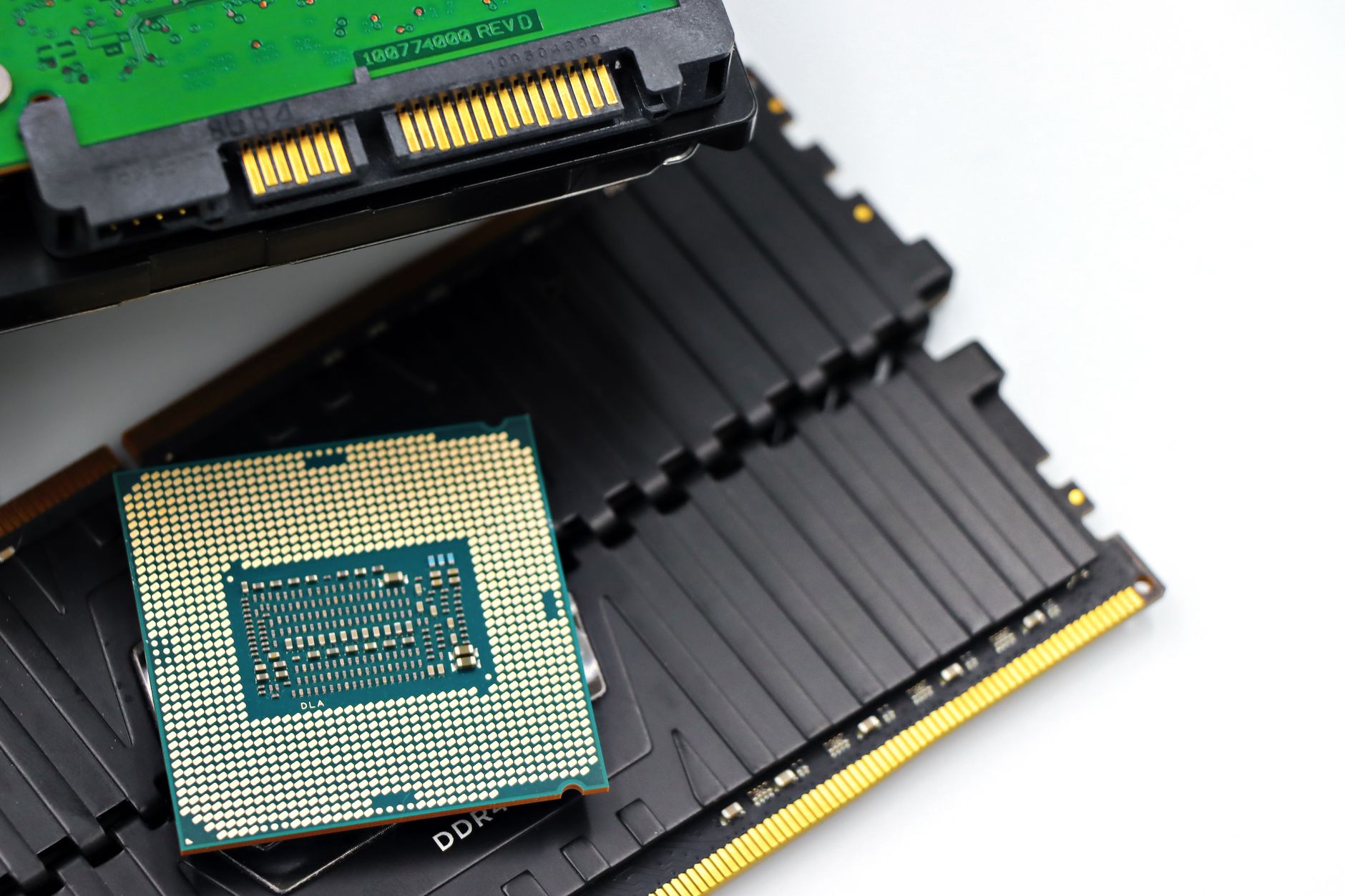
Hardware Specifications Explained for Beginners: A Clear Guide to PC Parts
Purchasing a new computer or upgrading an existing system often involves navigating a complex landscape of technical acronyms and numerical values. Advertisements and product pages frequently highlight terms like gigahertz, solid-state drives, and gigabytes without providing adequate context. Understanding these hardware specifications is essential for selecting a machine that matches specific computational needs, whether the intended use involves basic web browsing, professional video editing, or modern gaming. Demystifying these physical components allows consumers to evaluate value objectively and avoid overpaying for unnecessary performance capacity.
The Central Processing Unit (CPU): The Brain of the Computer
The central processing unit, commonly referred to as the CPU, functions as the primary computation engine of any computer system. When software executes instructions, the CPU interprets and processes that data, coordinating the activities of all other hardware components. Evaluating processor specifications requires examining three critical metrics: core count, clock speed, and cache size.
Cores and Threads
Modern processors contain multiple independent processing units within a single physical chip, known as cores. A dual-core processor can execute two distinct instruction streams simultaneously, while quad-core, octa-core, and higher configurations handle significantly heavier multitasking loads. Hyper-threading or simultaneous multithreading technologies further divide physical cores into logical threads, allowing a single core to manage two instruction pipelines concurrently. Operating systems leverage these threads to distribute background tasks efficiently without slowing down active user applications.
Related Posts
- Inside the Modern Kitchen: A Comprehensive Engineering and Feature Guide to Smart Ovens
- Refrigerator Specifications Explained: Capacity, Energy Rating, and Dimensions
- How to Install a New Washing Machine Step by Step: A Complete Practical Guide
- How to Find the Correct Washing Machine User Manual by Model Number
- How to Read Refrigerator User Manual Symbols and Settings: A Practical Guide to Every Common Icon
Clock Speed and Thermal Design Power
Clock speed, measured in gigahertz (GHz), indicates how many execution cycles a core can perform per second. A higher clock speed generally translates to faster single-threaded application performance, which benefits tasks like gaming and rapid file loading. Thermal Design Power (TDP), measured in watts, represents the maximum heat output a processor generates under a full workload. Systems must feature adequate cooling solutions rated to handle the specific TDP of the installed processor to prevent thermal throttling, a safety mechanism that reduces operating speed to lower temperatures.
Random Access Memory (RAM): Managing Short-Term Data
Random access memory serves as the temporary workspace where a computer holds data currently in active use by the operating system and open applications. Unlike permanent storage drives, RAM clears its contents completely whenever the system powers down. Understanding memory specifications involves looking at capacity, measured in gigabytes (GB), and data transfer speed, measured in megahertz (MT/s or MHz).
Sufficient memory capacity prevents a system from experiencing slowdowns during heavy multitasking. While eight gigabytes of RAM satisfies basic daily computing requirements involving web browsing and office productivity suites, sixteen gigabytes represents the current baseline standard for gaming and moderate content creation. Professional engineering software and 4K video production environments often necessitate thirty-two gigabytes or more to maintain fluid performance. Memory bandwidth also influences speed, determining how rapidly data travels between the RAM modules and the processor.
Storage Drives: Solid-State Drives (SSDs) Versus Hard Disk Drives (HDDs)
Data preservation requires non-volatile storage media that retains information indefinitely without electrical power. The industry has largely transitioned from mechanical hard disk drives to solid-state drives, though both technologies remain relevant in distinct scenarios.
| Feature | Solid-State Drive (SSD) | Hard Disk Drive (HDD) |
|---|---|---|---|
| Technology | Flash memory chips with no moving parts | Magnetic spinning platters with mechanical read/write heads | |
| Speed | Extremely fast boot and file transfer times | Slower data retrieval due to physical seek times | |
| Durability | High resistance to physical shock and drops | Vulnerable to mechanical failure from physical impact | |
| Cost per Gigabyte | Higher initial cost, though prices continue to decline | Lower cost, ideal for massive archival storage |
Solid-state drives utilize flash memory to read and write data electronically, resulting in rapid boot times and instantaneous application launching. NVMe (Non-Volatile Memory Express) SSDs connect directly to the motherboard via PCIe lanes, delivering data transfer rates that vastly exceed older SATA-based SSDs. Conversely, mechanical hard disk drives rely on spinning magnetic platters and moving read heads. While significantly slower than modern flash storage, HDDs offer a cost-effective solution for storing massive libraries of archival files, backups, and media collections where rapid access speeds are not critical.
The Graphics Processing Unit (GPU): Rendering Visuals and Accelerating Compute Tasks
The graphics processing unit specializes in rendering images, animations, and video content for display on a monitor. Modern computers utilize either integrated graphics, which share space and system memory with the CPU, or discrete graphics cards, which feature dedicated processing cores and specialized video memory (VRAM).
Integrated Versus Dedicated Graphics
Integrated graphics solutions suit standard office work, media streaming, and casual web browsing effectively. Because they utilize system RAM, they do not require additional power or physical space inside the computer chassis. Dedicated graphics cards feature independent processors designed explicitly for parallel computation. These components incorporate their own high-speed VRAM, enabling them to render complex three-dimensional game environments and accelerate computational workflows in video editing and machine learning applications.
Video Memory (VRAM) Specifications
Video memory capacity directly dictates how much texture and graphical data a graphics card can manage locally. Modern gaming at high resolutions requires substantial VRAM buffers to prevent stuttering and texture pop-in. Evaluating a graphics card also involves reviewing the memory bus width, which determines the pathway size for data moving into and out of the VRAM, directly impacting overall graphical throughput.
Motherboards and Power Supply Units (PSUs): The Infrastructure
Every individual hardware component connects directly or indirectly to the motherboard, the foundational printed circuit board of the computer. Motherboard specifications dictate expansion capabilities, including the number of RAM slots, PCIe slots for graphics cards and expansion cards, and storage connector ports. Chipsets integrated into the motherboard determine compatibility with specific CPU generations and support features like memory overclocking and high-speed peripheral connectivity.
The power supply unit converts alternating current from a standard wall outlet into the regulated direct current required by internal computer hardware. Power supply specifications include total wattage output and efficiency ratings, often denoted by 80 Plus certification levels (such as Bronze, Gold, or Platinum). Selecting an appropriately rated power supply ensures stable electrical delivery across all components, protecting sensitive hardware from voltage fluctuations and unexpected power failures.
Frequently Asked Questions
What is the difference between a CPU and a GPU?
The CPU acts as the general-purpose computational engine of the computer, executing sequential instructions for the operating system and software. The GPU specializes in massively parallel processing, making it exceptionally efficient at rendering graphics, manipulating images, and accelerating specialized computing workloads.
How much RAM is necessary for general daily use?
Sixteen gigabytes of RAM provides an optimal balance for most users, allowing seamless multitasking, multiple browser tabs, and standard productivity software. Eight gigabytes is adequate for basic tasks, while professional applications require thirty-two gigabytes or more.
Why are solid-state drives faster than traditional hard drives?
Solid-state drives use electronic flash memory with no moving parts, enabling instantaneous data access. Traditional hard drives rely on mechanical spinning platters and moving read heads, creating physical delays when locating and retrieving stored files.
Does a higher CPU clock speed always mean better performance?
Clock speed measures how many cycles a processor executes per second, which heavily influences single-threaded speed. However, overall performance also depends on architectural efficiency, instruction per cycle rates, core count, and thermal management.
What does TDP mean when reviewing processor specifications?
Thermal Design Power represents the maximum amount of heat a processor generates under a heavy workload, measured in watts. This metric guides the selection of an appropriate cooling system to maintain safe operating temperatures.
Conclusion
Navigating the technical specifications of computer hardware becomes straightforward once the distinct roles of each component are understood. The central processing unit coordinates computational tasks, random access memory provides active workspace, storage drives preserve data permanently, and the graphics processing unit manages visual rendering. Evaluating these elements objectively empowers buyers to match hardware capabilities with practical computational needs, ensuring optimal performance and long-term value without unnecessary expense.
Featured Image Credit: Generated/Sourced via Unsplash.
Disclaimer: This article is AI-generated for informational and educational purposes. While we strive to provide high-quality context and authority, the content should not be used as professional advice. The author/website assumes no liability for external links or factual omissions.